Moslem

The Quran and your daily worship, in one free appAl-Quran dan ibadah harianmu, dalam satu aplikasi gratis

Read with colour-coded tajweed, pray on time with adhan alerts, find the qibla anywhere and finish the Quran together with your family.Baca dengan tajwid berwarna, sholat tepat waktu dengan pengingat adzan, temukan kiblat di mana saja, dan khatam bersama keluarga.

  • No adsTanpa iklan
  • No accountTanpa akun
  • No trackingTanpa pelacakan
Quran screen Layar Al-Quran
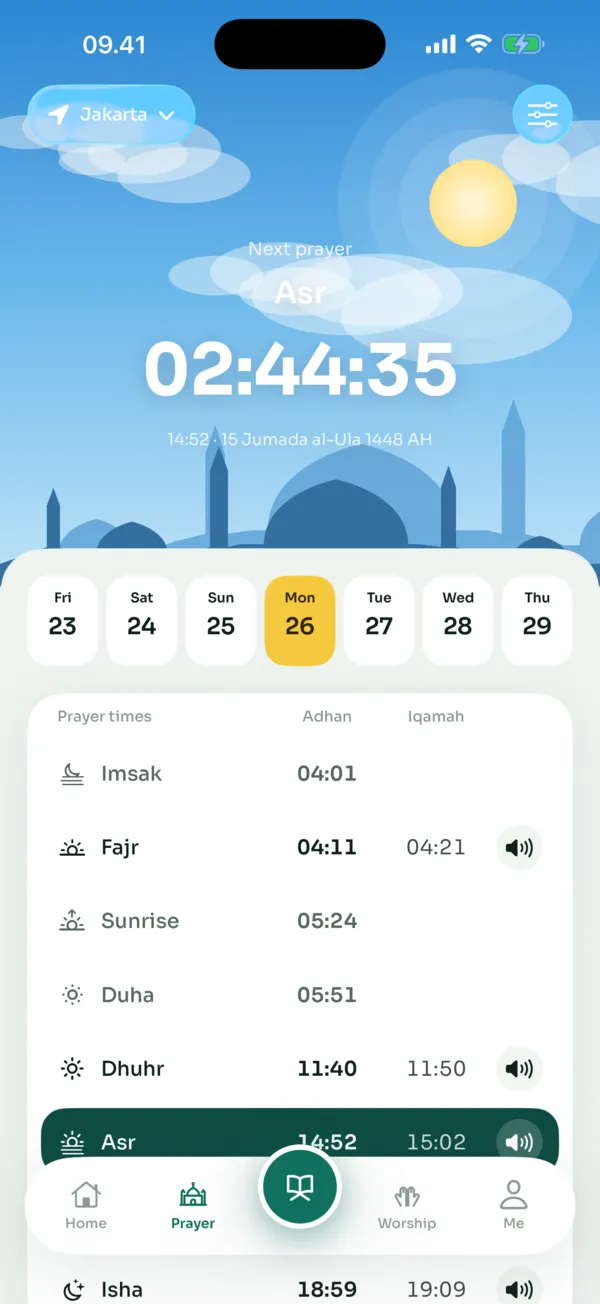
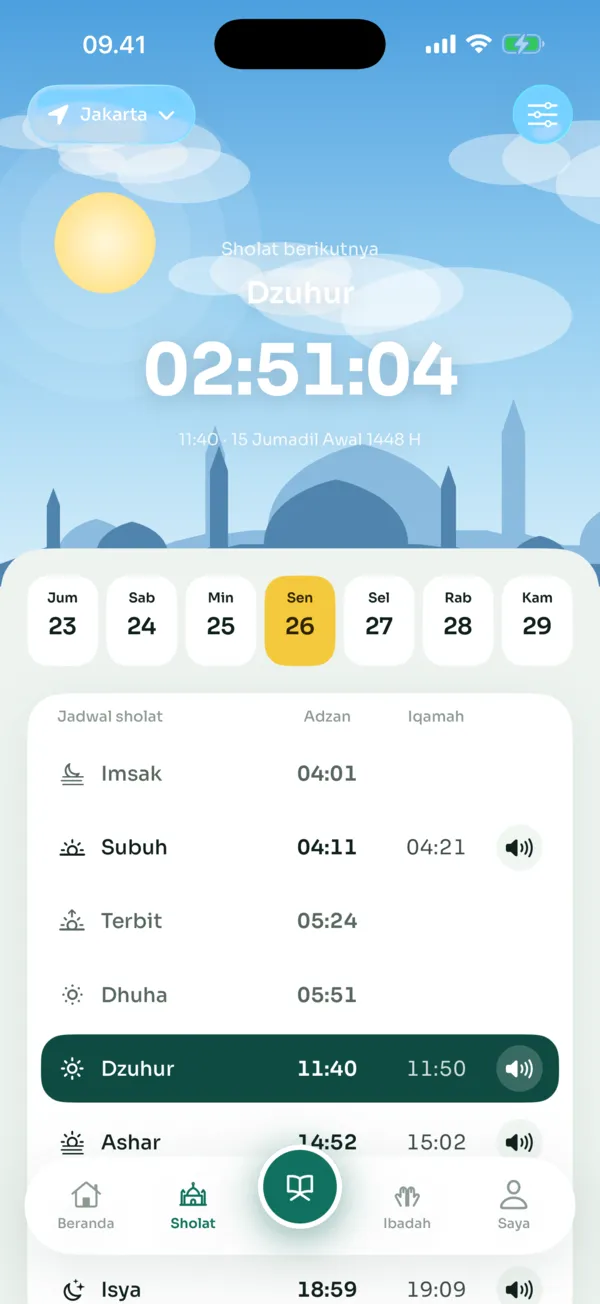
Prayer times Jadwal sholat
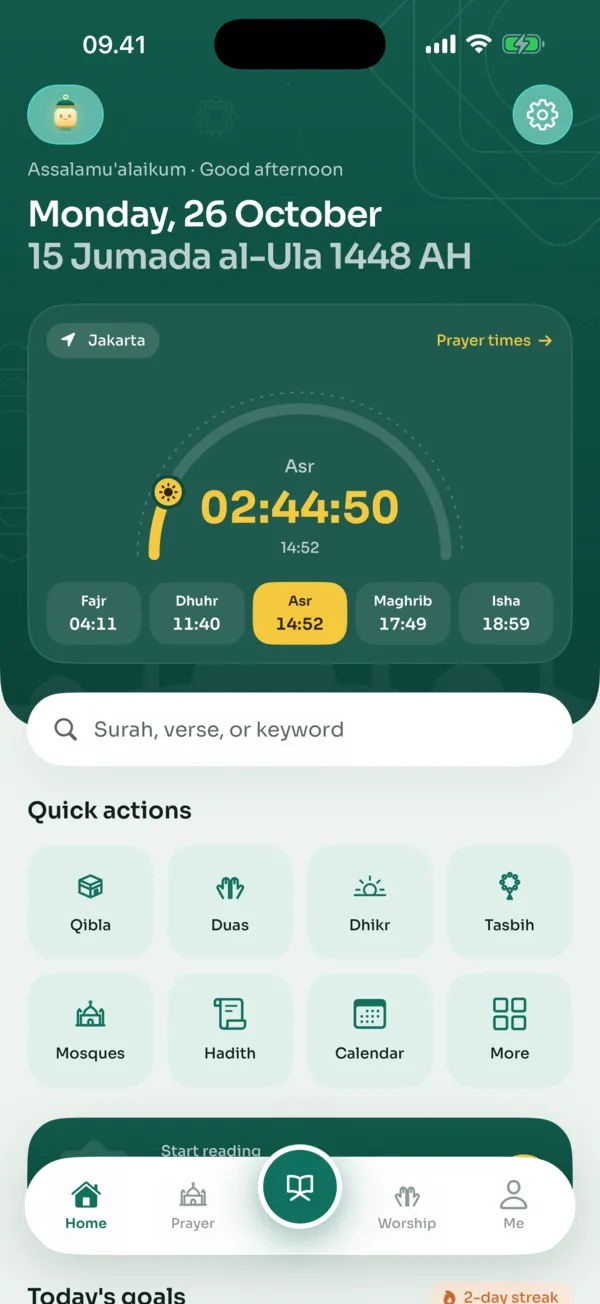
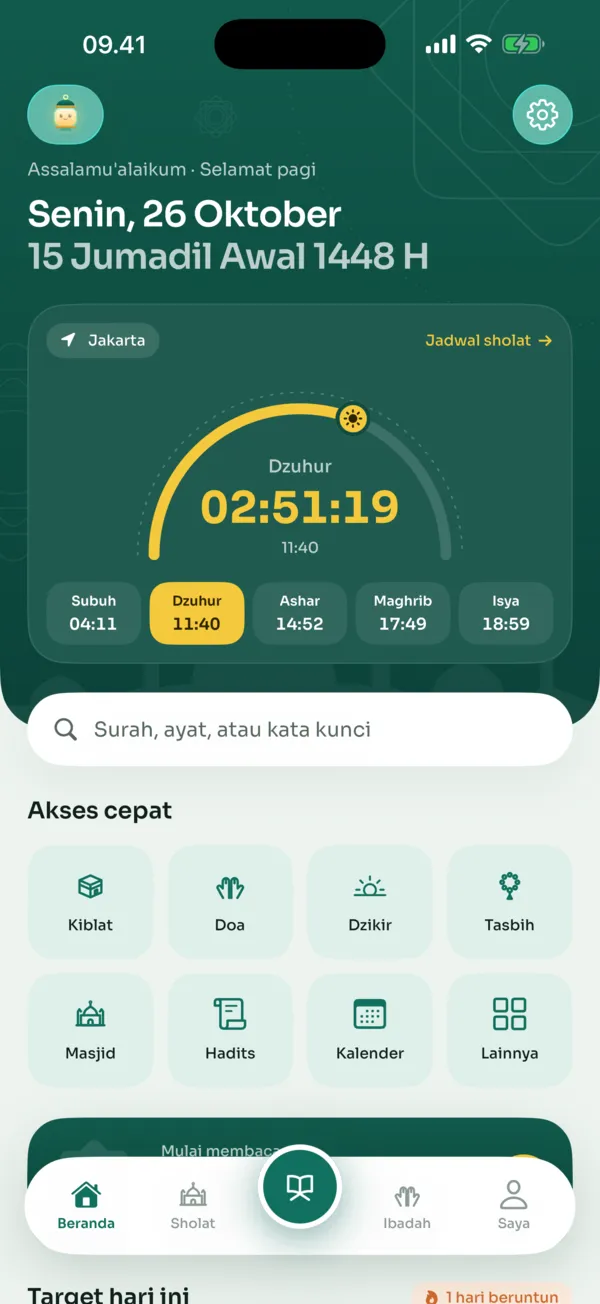
Home screen of Moslem Beranda aplikasi Moslem

ٱقۡرَأۡ بِٱسۡمِ رَبِّكَ ٱلَّذِي خَلَقَ

“Recite in the name of your Lord who created.” Al-'Alaq 96:1“Bacalah dengan (menyebut) nama Tuhanmu yang menciptakan!” QS. Al-'Alaq: 1

What's insideApa saja di dalamnya

Read with colour-coded tajweedBaca dengan tajwid berwarna

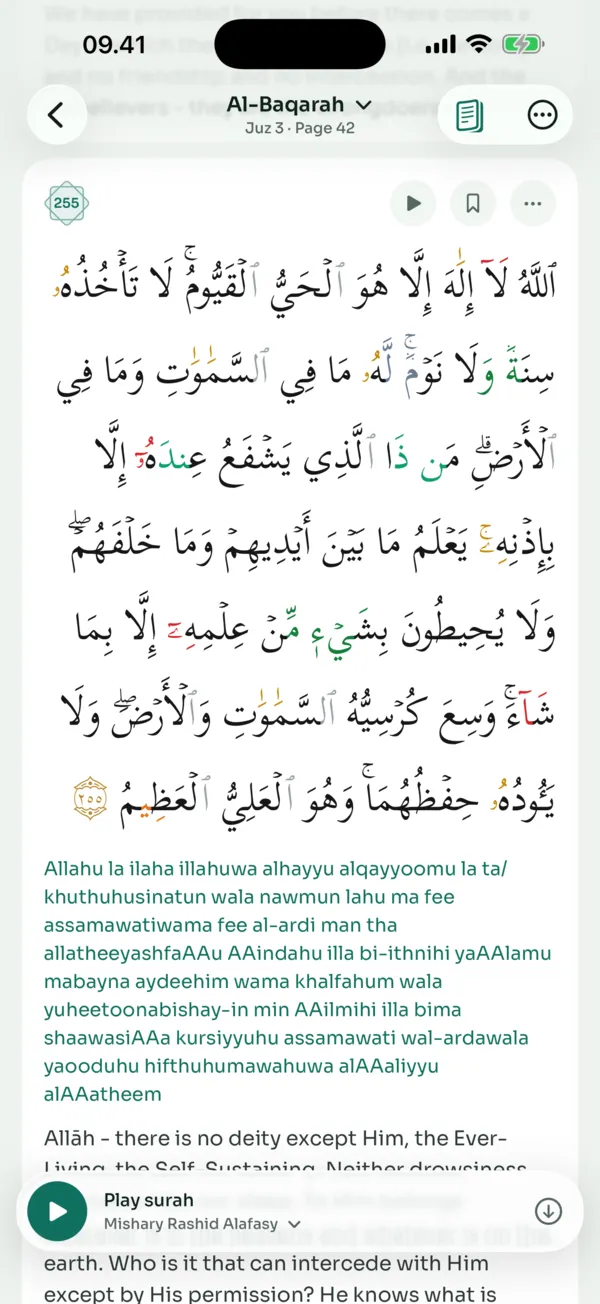
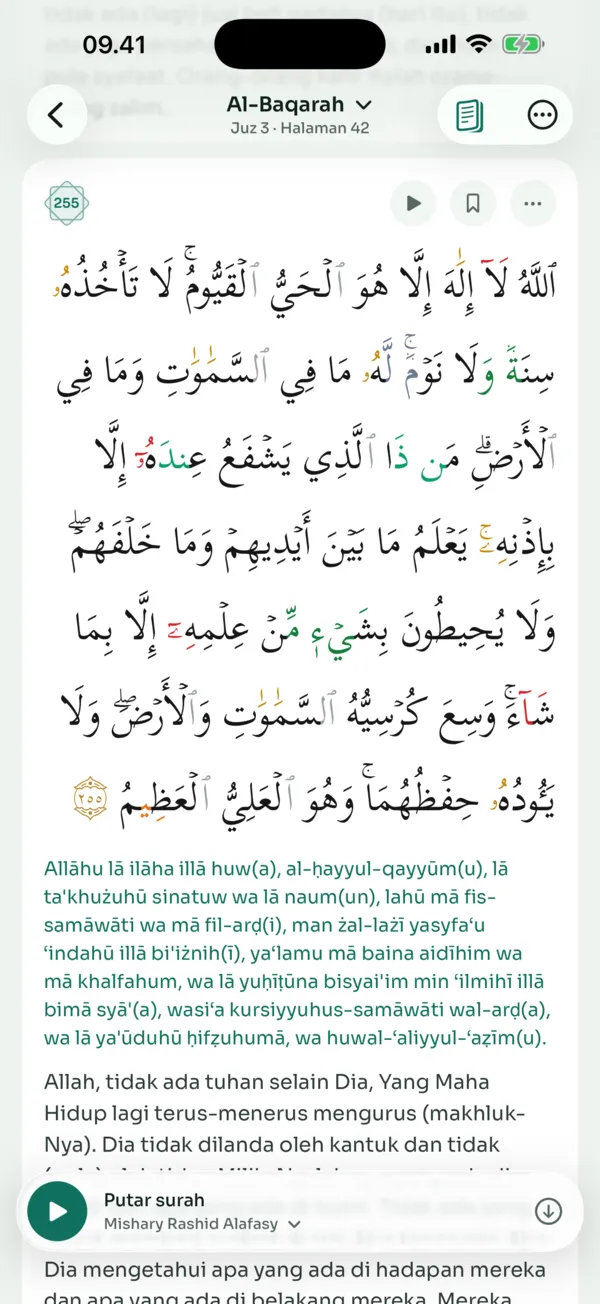
Every rule of tajweed has its own colour, with a guide to what each one means. Each verse comes with transliteration, translation, word-by-word meanings and tafsir, and recitation from well-known reciters that you can download for offline listening.Setiap hukum tajwid punya warnanya sendiri, lengkap dengan panduan artinya. Setiap ayat dilengkapi latin, terjemahan Kemenag, arti per kata, tafsir, dan murottal qari ternama yang bisa diunduh untuk didengar offline.

Quran screen with colour-coded tajweed Layar Al-Quran dengan tajwid berwarna

Pray on time, wherever you areSholat tepat waktu, di mana pun kamu berada

Accurate prayer times for your location, with the Kemenag method and others. Adhan alerts at the exact time, a countdown to the next prayer, a monthly timetable and a daily prayer log.Jadwal sholat akurat sesuai lokasimu, dengan metode Kemenag dan metode lainnya. Pengingat adzan tepat waktu, hitung mundur ke sholat berikutnya, jadwal bulanan, dan catatan sholat harian.

Prayer times under a sky that follows the time of day Jadwal sholat dengan langit yang mengikuti waktu

Find the qibla, and the nearest mosqueTemukan kiblat dan masjid terdekat

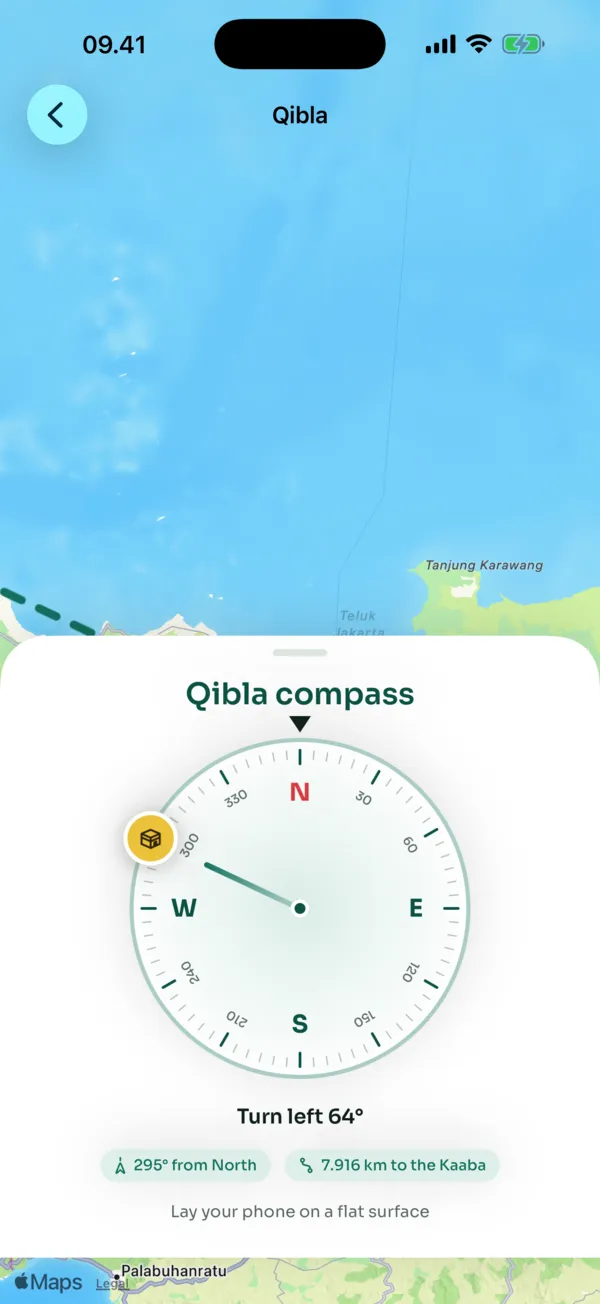
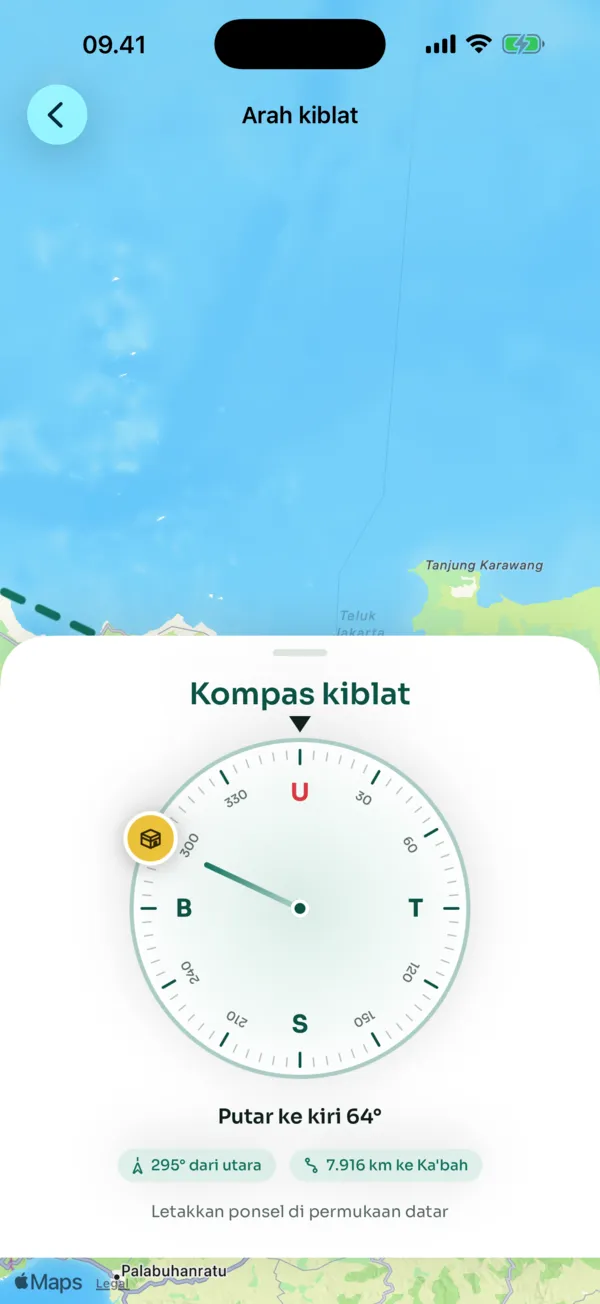
A compass and a map that point to the Kaaba from wherever you stand, and nearby mosques with directions in one tap. Useful when travelling, at work or on the way home.Kompas dan peta yang menunjuk ke Ka'bah dari mana pun kamu berada, plus masjid terdekat dengan petunjuk arah sekali ketuk. Berguna saat traveling, di kantor, atau saat mudik.

Qibla compass with a map to the Kaaba Kompas kiblat dengan peta arah Ka'bah

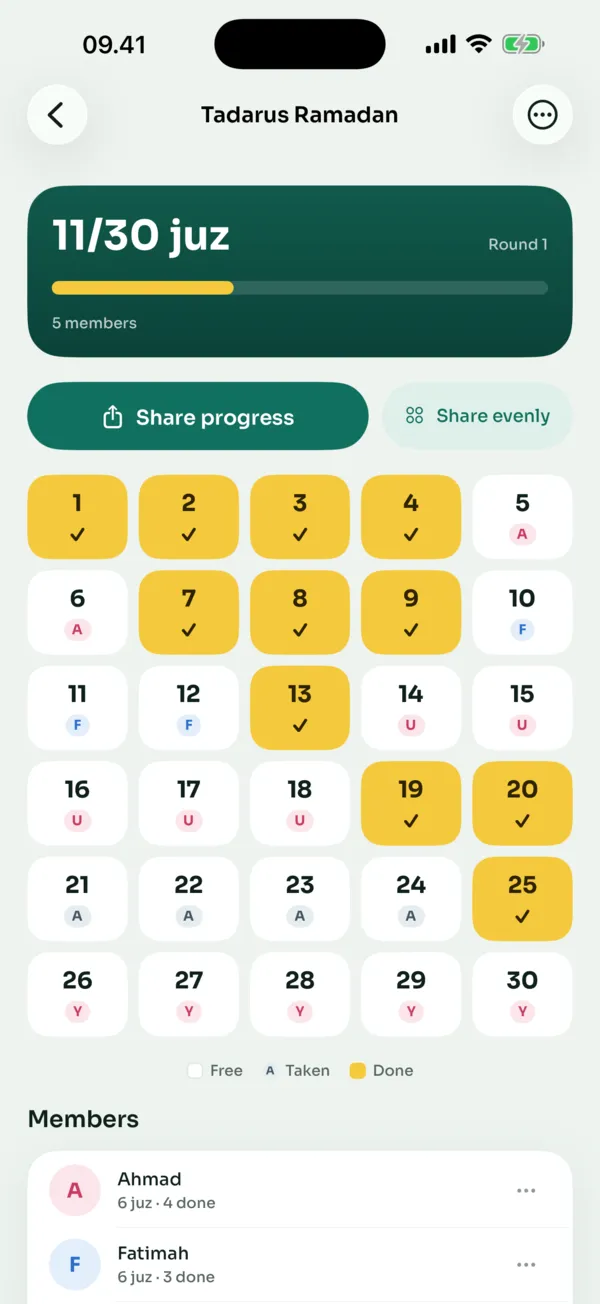
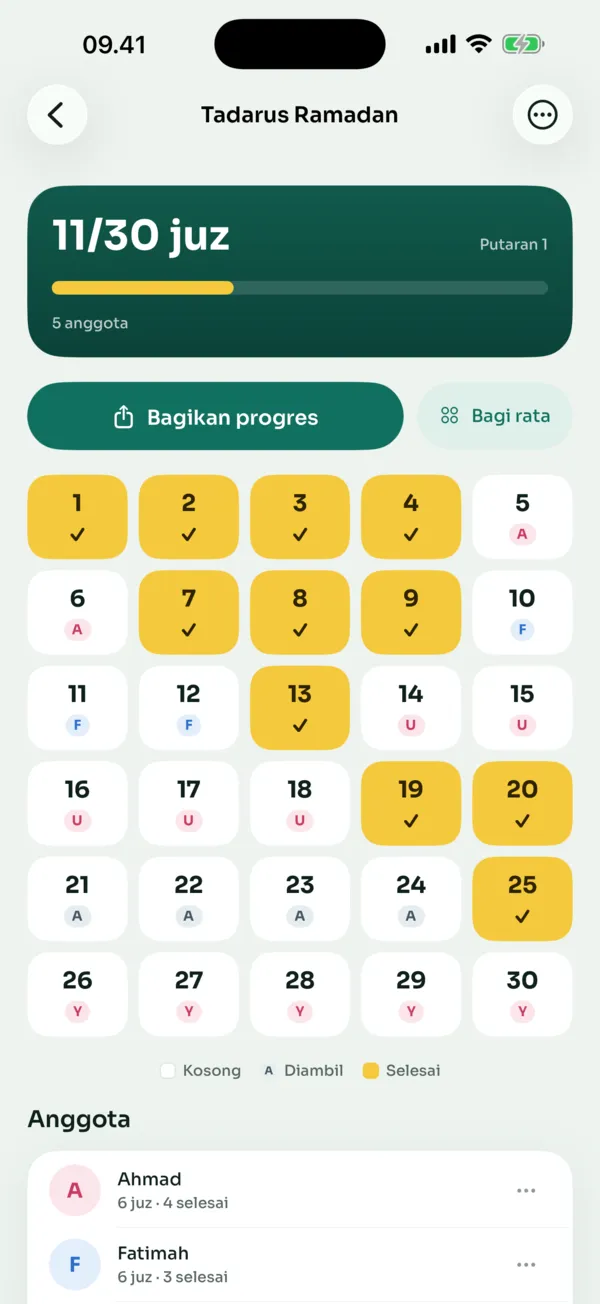
Finish the Quran togetherKhatam bareng keluarga

Share the 30 juz with family or friends, tick off each juz when it's read, and send the group's progress to WhatsApp. Members don't need to install anything.Bagi 30 juz dengan keluarga atau teman, centang setiap juz yang selesai, lalu kirim progres grup ke WhatsApp. Anggota tidak perlu memasang aplikasi apa pun.

Tadarus group sharing the 30 juz Grup Tadarus yang membagi 30 juz

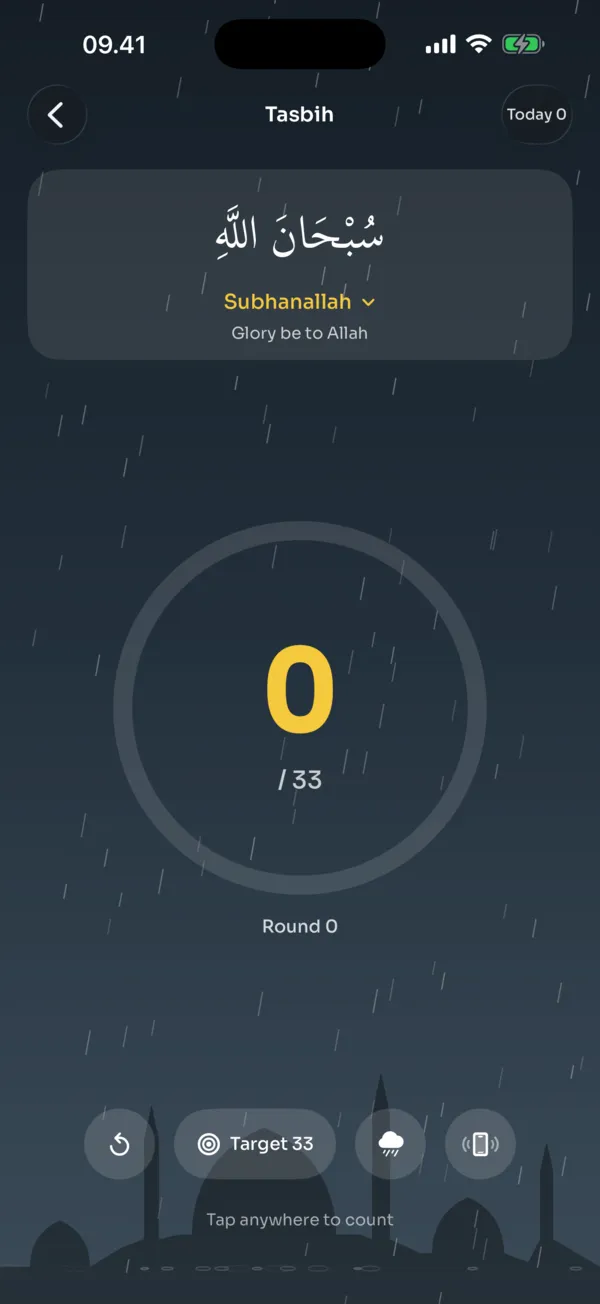
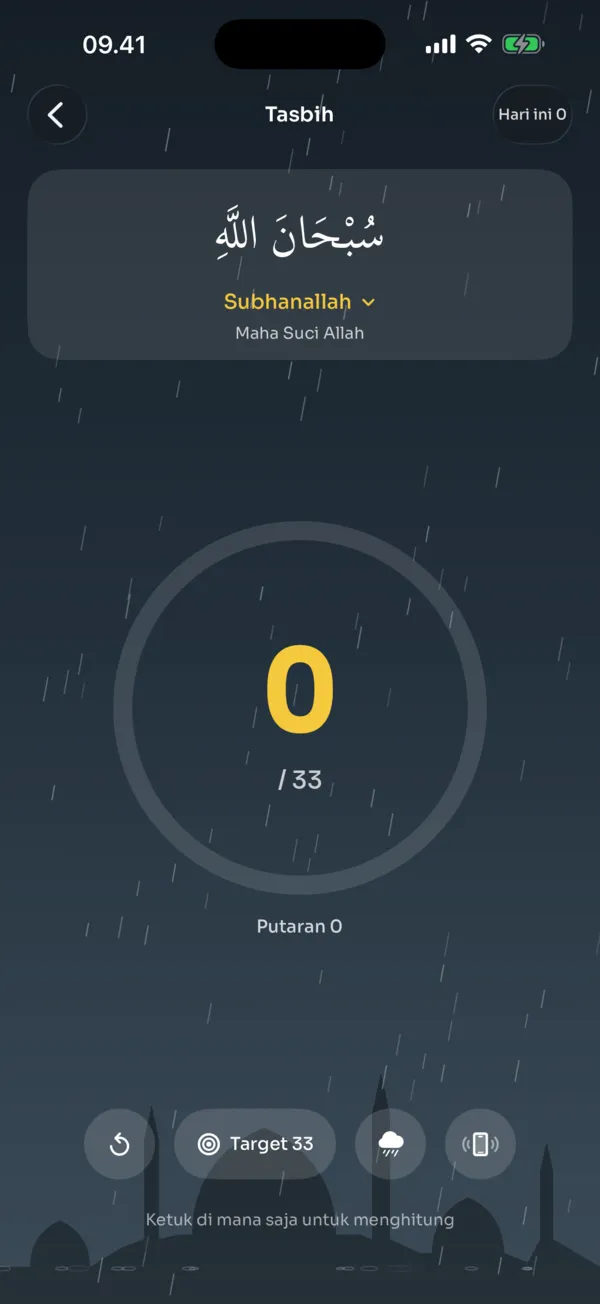
Dhikr with the sound of rainBerdzikir ditemani suara hujan

Morning and evening adhkar with their sources and counters, and a digital tasbih you can pair with rain, ocean or night ambience.Dzikir pagi dan petang lengkap dengan sumber dan penghitungnya, serta tasbih digital yang bisa ditemani suasana hujan, ombak, atau malam.

Digital tasbih with the sound of rain Tasbih digital dengan suara hujan

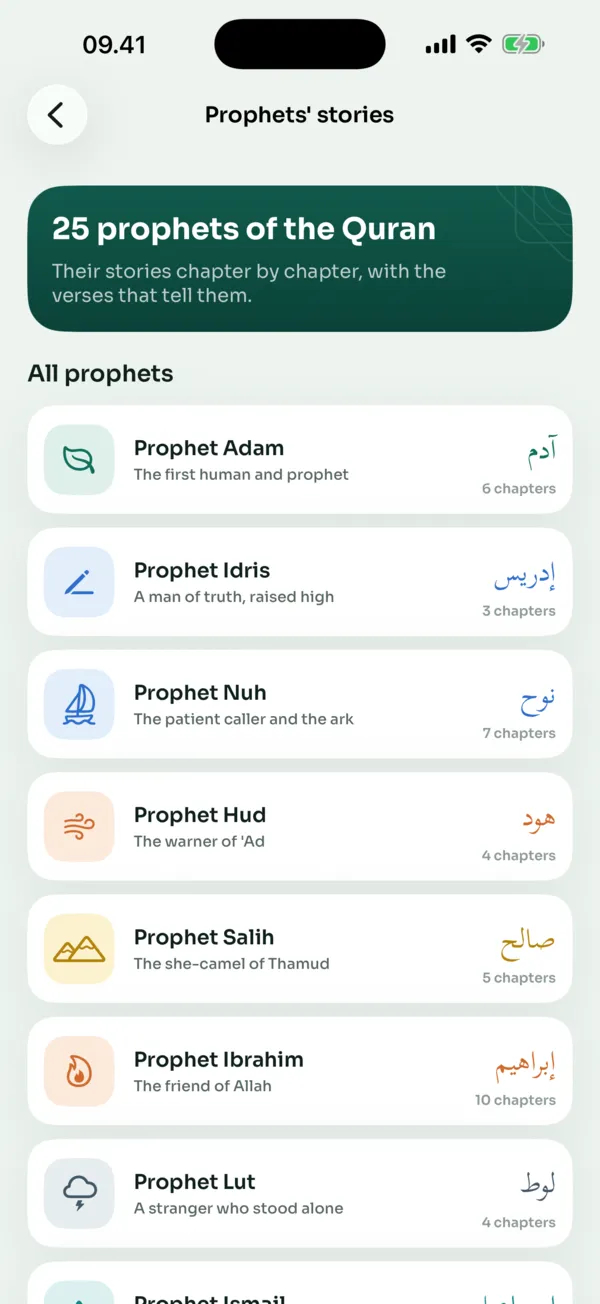
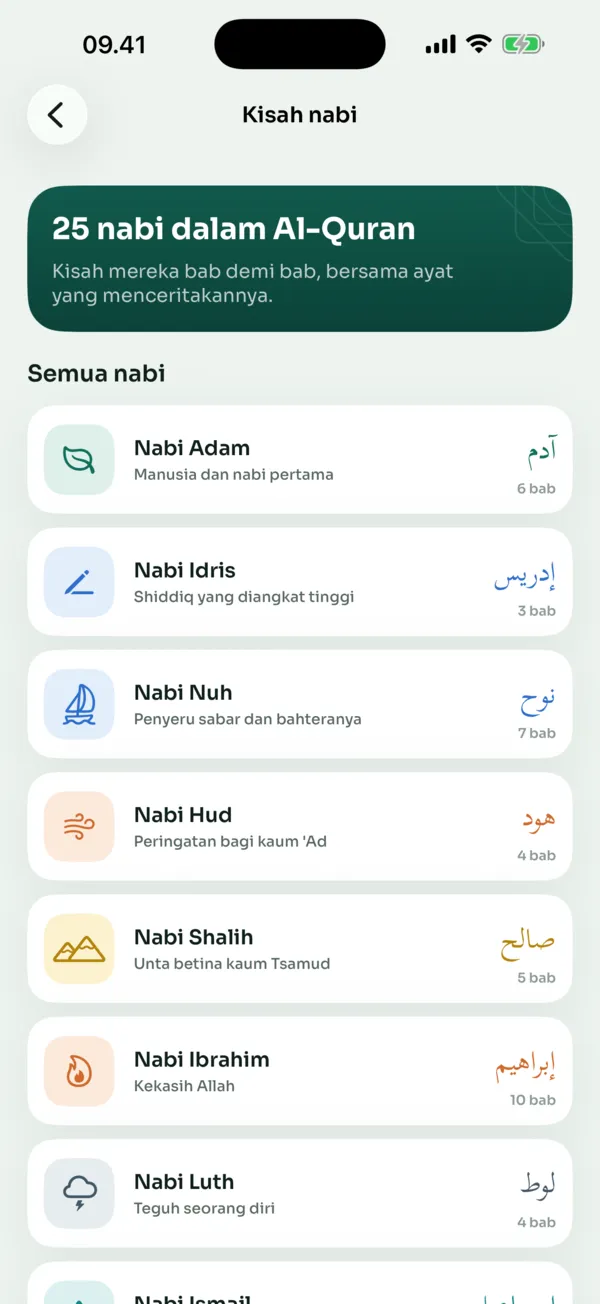
Stories of the 25 prophetsKisah 25 nabi

From Adam to Muhammad, peace be upon them, told chapter by chapter with the verses that tell each story. Good to read alone or aloud to children.Dari Nabi Adam hingga Nabi Muhammad SAW, diceritakan bab demi bab lengkap dengan ayat-ayat yang mengisahkannya. Cocok dibaca sendiri atau diceritakan ke anak.

Stories of the 25 prophets Kisah 25 nabi

And much moreDan masih banyak lagi

  • Courses with quizzesKursus dan kuis
  • Seven hadith collectionsTujuh kitab hadits
  • Activity historyRiwayat aktivitas
  • Add to your calendarTambah ke kalender
  • Daily knowledgeIlmu harian
  • Period trackerCatatan haid
  • Duas from Hisnul MuslimDoa dari Hisnul Muslim
  • The 99 names of AllahAsmaul Husna
  • The Forty HadithHadits Arbain
  • Ramadan companionTeman Ramadan
  • Zakat calculatorKalkulator zakat
  • Hajj and umrah guidePanduan haji dan umrah
  • Home and Lock Screen widgetsWidget layar utama dan kunci
  • Calm roomRuang Tenang
  • Hijri calendarKalender Hijriah
  • Daily routineAmalan yaumi
  • Memorisation modeMode hafalan
  • Light and dark modeMode terang dan gelap

Free. For good.Gratis. Selamanya.

Moslem is made voluntarily, with no commercial aim, so that anyone can stay close to the Quran. There is nothing to buy and nothing to sign up for.Moslem dibuat secara sukarela, tanpa tujuan komersial, agar siapa pun bisa dekat dengan Al-Quran. Tidak ada yang perlu dibeli dan tidak perlu mendaftar.

  • No adsTanpa iklan
  • No subscriptionsTanpa langganan
  • No in-app purchasesTanpa pembelian dalam aplikasi
  • No accountTanpa akun
  • No analytics or trackingTanpa analitik dan pelacakan

Your data stays on your phoneDatamu tetap di HP-mu

Your reading, notes and progress are saved on your device.Bacaan, catatan, dan progresmu tersimpan di perangkatmu.

Backup goes to your own iCloud or Google account, where we can't see it.Cadangan masuk ke akun iCloud atau Google milikmu sendiri, dan kami tidak bisa melihatnya.

We have no servers that store your data, and nothing is sold or shared.Kami tidak punya server untuk menyimpan datamu, dan tidak ada yang dijual atau dibagikan.

Read the privacy policyBaca kebijakan privasi

Questions and answersTanya jawab

Does the app work offline?

Yes. These are all built into the app and work without internet:

  • the whole Quran, with translations, transliteration, word-by-word, tajweed and tafsir;
  • prayer times, the adhan sound, qibla, duas and adhkar;
  • seven hadith collections, the prophets' stories, the courses and quizzes, and the prayer and Hajj guides.

Only recitation audio comes from the internet. Download it once, a surah, Juz 'Amma or the whole Quran, from Downloads, and it plays offline for good.

How do I keep my progress when I change phones?

On iPhone, keep iCloud backup on (Me → iCloud backup) and sign in to the same Apple account on the new phone. On Android, turn on backup in your phone's settings; your progress returns when you install the app on the new phone with the same Google account.

Prayer times are a few minutes off from my mosque.

Open Prayer → Prayer settings. There you can:

  • choose the calculation method your country uses (for example Kemenag RI in Indonesia);
  • set the Asr method;
  • set your elevation;
  • adjust each prayer by a few minutes.
The adhan alert doesn't sound.

Check that notifications are allowed for Moslem, and that the alert mode for that prayer isn't set to silent. On iPhone, a Focus mode can hide alerts. On Android, allow the app to run in the background in the battery settings.

How does Tadarus work?

Create a group, add the people reading with you, and the 30 juz are shared out evenly. Tick each juz when it's done, then tap Share progress to send a summary to your WhatsApp group. Members don't need the app.

How do I add a widget?

On iPhone, touch and hold the Home Screen or Lock Screen, tap Edit or Customize, and add Moslem. On Android, touch and hold the Home Screen, tap Widgets and choose Moslem. Me → Widgets shows the steps.

I can't find Nuri, the assistant.

Nuri runs entirely on your phone, so it appears only on phones with an on-device model: iPhones with Apple Intelligence turned on, or Android phones with Gemini Nano. On iPhone, it currently needs the app in English, because Apple's model doesn't support Indonesian yet.

Apakah aplikasi bisa dipakai offline?

Bisa. Semua ini sudah ada di dalam aplikasi dan berjalan tanpa internet:

  • Al-Quran lengkap dengan terjemahan, latin, terjemahan per kata, tajwid, dan tafsir;
  • jadwal sholat, suara adzan, kiblat, doa, dan dzikir;
  • tujuh kitab hadits, kisah para nabi, kursus dan kuis, serta panduan sholat dan haji.

Hanya audio murottal yang diambil dari internet. Unduh sekali, per surah, Juz 'Amma, atau satu Al-Quran penuh, lewat menu Unduhan, lalu bisa diputar offline selamanya.

Bagaimana agar progres tidak hilang saat ganti HP?

Di iPhone, biarkan cadangan iCloud tetap aktif (Saya → Cadangan iCloud), lalu masuk dengan akun Apple yang sama di HP baru. Di Android, nyalakan cadangan di pengaturan HP; progresmu kembali saat aplikasi dipasang di HP baru dengan akun Google yang sama.

Jadwal sholat berbeda beberapa menit dengan masjid saya.

Buka Sholat → Pengaturan sholat. Di sana kamu bisa:

  • memilih metode perhitungan yang dipakai di negaramu (misalnya Kemenag RI di Indonesia);
  • mengatur metode Ashar;
  • mengisi ketinggian tempat;
  • menggeser waktu tiap sholat beberapa menit.
Adzan tidak berbunyi.

Pastikan notifikasi Moslem diizinkan dan mode pengingat sholat tersebut tidak diatur senyap. Di iPhone, mode Fokus bisa menyembunyikan pengingat. Di Android, izinkan aplikasi berjalan di latar belakang lewat pengaturan baterai.

Bagaimana cara kerja Tadarus?

Buat grup dan tambahkan teman mengajimu, lalu ke-30 juz dibagi rata otomatis. Centang juz yang sudah selesai, lalu ketuk Bagikan progres untuk mengirim ringkasannya ke grup WhatsApp. Anggota tidak perlu memasang aplikasi.

Bagaimana cara memasang widget?

Di iPhone, sentuh lama Layar Utama atau Layar Kunci, ketuk Edit atau Sesuaikan, lalu tambahkan Moslem. Di Android, sentuh lama Layar Utama, ketuk Widget, lalu pilih Moslem. Langkah lengkapnya ada di Saya → Widget.

Saya tidak menemukan Nuri.

Nuri berjalan sepenuhnya di HP, jadi hanya muncul di perangkat yang punya model AI bawaan: iPhone dengan Apple Intelligence aktif, atau HP Android dengan Gemini Nano. Di iPhone, Nuri saat ini membutuhkan aplikasi berbahasa Inggris karena model Apple belum mendukung bahasa Indonesia.

Still stuck? Email support@artificials.net with your phone model and what you see.Masih ada kendala? Kirim email ke support@artificials.net, sebutkan tipe HP dan kendalanya.

Start with one verse todayMulai dengan satu ayat hari ini

Free on iPhone and Android.Gratis di iPhone dan Android.